



FREE Callouts for Final Cut Pro
Regular price $0.00
Free Callouts for Final Cut Pro
Point out the detail that matters. Clean, animated callouts you can drag into place right in the viewer, then style to suit your film. Perfect for tutorials, reviews, product videos and training.
The full pack has 12 callouts, each with the same on-screen controls. See the full pack →What's in the free version?
2 calloutsCallout 01
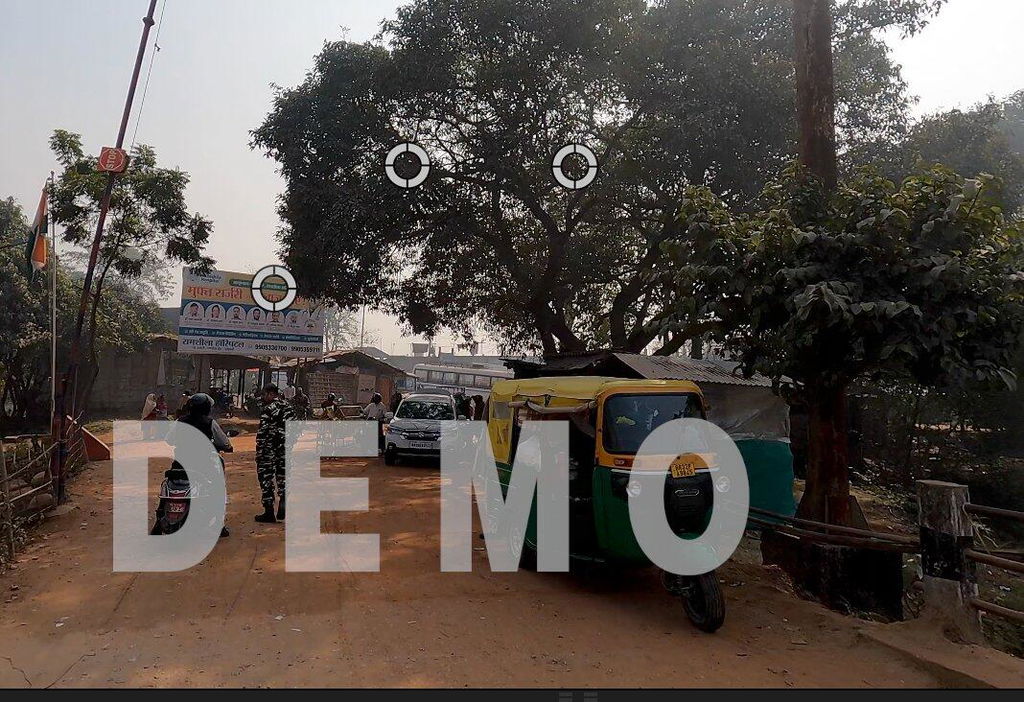
Shown below, inside Final Cut Pro.
Callout 05
The one in the video at the top of this page.

Callout 01 in the Final Cut Pro viewer.
Drag it into place.
Position every callout directly in the viewer, then fine-tune it with the parameters in the inspector. No keyframing, no guesswork.
Like what you see? There are 10 more.
The free version gives you two callouts to try. The full pack has twelve, so there's a style for every shot and every kind of video.
- Callouts01 and 05
- On-screen controlsIncluded
- CustomisableIncluded
- Callouts01 to 12
- On-screen controlsIncluded
- CustomisableIncluded
Twelve ways to make a point.
From download to first callout.
Install
Run the free Plugin Installer and it puts everything in the right place, or follow the guide in the download.
Drop it in
Drag a callout onto your timeline, above the clip you want to explain.
Place and style
Use the on-screen controls to position it in the viewer, then customise it in the inspector.
Every Final Cut Pro plugin we make, for $99.
The full Callouts pack is one of 115+ packs in the Ultimate Bundle, alongside every transition, effect, title and template in the range.
Explore the Ultimate Bundle →The details.
- Final Cut Pro
- Version 10.6.1 or later
- Mac
- Apple silicon and Intel
- In the download
- Callouts 01 and 05, plus a step-by-step install guide
- Install
- With the free Plugin Installer, or by hand using the guide
Questions
Is it really free?
Yes. Add it to your cart, check out at $0 and your download link arrives by email straight away.
How do I install it?
The quickest way is the free Full Access Plugin Installer, which puts the callouts in the right folder for you. The download also includes a step-by-step guide if you'd rather do it by hand.
What's in the full Callouts pack?
All 12 callouts, each with the same on-screen controls and customisable parameters. It's also part of the Ultimate Bundle.
Please share a link to this page rather than the files. Not for resale.
How do I Download & Install plugins?
Please watch the short tutorial above to see a step by step guide on how to download and install our plugins.
Please see PDF #1 in your download pack, this clearly identifies where you need to install your new plugin. If you are unfamiliar with how to install FCPX plugins, then PDF #2 has step by step instructions on how to locate or create the correct folders.
How do I install LUTs into Final Cut Pro X?
It's very simple! Please watch our video installation guide:
I don't see my plug-in in Final Cut / Its not working / I see a red warning screen!?
Rest assured there is nothing wrong with our plugins! There is a simple fix if you are seeing these results. There are generally only two reasons your plugins are not working.
1) The most likely is that your version of Final Cut is out of date. Our plug-ins are designed to be used with Version 10.4.8. Please update your version of Final Cut. This is available as a free update on the Apple App store.
2) You have not installed the plug-in into the correct folder. Please follow the instructions included in your download, being careful to place them in the correct folder as outlined in PDF #1 (either; "Titles", "Effects", "Transitions" or "Generators")
Are the free plug-ins really free?
Yes our free plug-ins are 100% free. All we require is an email link at checkout to send you the download link. If you like what you see, then we hope you'll consider making a purchase!
Do these work with Adobe Premiere Pro?
The majority of our products are designed specifically for Final Cut Pro X. Though our Overlays and LUTs are compatible with any editing software. We are working on developing products specifically for Adobe Premiere Pro too, sign up to our mailing list to be the first to know.
The discount code is not working
Some of our discount codes have a time expiration or do not work in conjunction with another discount which may be applied to your product. Sign up to our mailing list where we send regular discount codes.
I would like to swap my product for another one / a refund
Unfortunately, due to the nature of digital products we are unable to offer swaps or refunds. Please see our refund policy for more information. If you are unhappy with your product, please let us know why so we can try to improve next time.