



Final Cut Pro 12.3: Auto Mask, Match Color & What's New

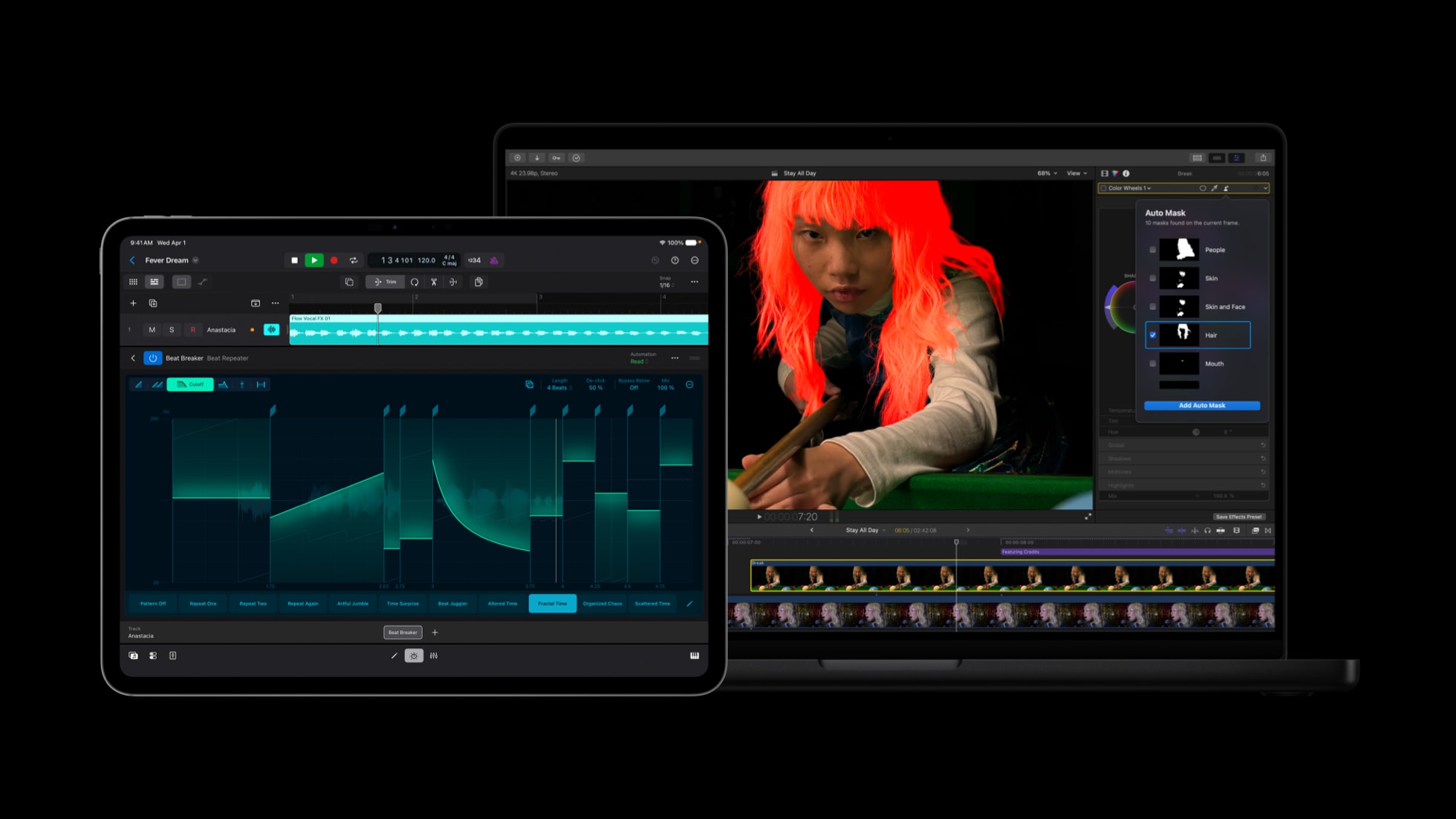
Apple has done the thing it loves to do most: dropped a genuinely meaningful Final Cut Pro update when almost nobody was expecting one. Final Cut Pro 12.3 landed on June 30th, and while the version number bump looks modest, the feature list absolutely is not. This one is stacked with AI-powered tools that quietly remove some of the most tedious jobs in editing, plus a handful of workflow tweaks that longtime editors have been quietly begging for.
If you cut in Final Cut for a living (or just for the love of it), this is a release worth paying attention to. Let's break down what's actually new, what matters, and how it fits into a modern Final Cut workflow.
Final Cut Pro 12.3: the short version
Before we go deep, here's the headline. Final Cut Pro 12.3 introduces four big AI-driven features - Auto Mask, a completely rebuilt Match Color, Generate Captions, and Edit Detection - alongside a stack of workflow improvements like a persistent two-up trim display and one-click send to Pixelmator Pro. It's free for existing owners and Apple Creator Studio subscribers, and it requires macOS 15.6 or later.
That's the elevator pitch. Now let's actually dig into why each of these matters.
Auto Mask: isolating objects without the manual grind

Masking has always been one of those jobs that separates a quick edit from a long night. Traditionally, if you wanted to grade someone's skin tones separately from the sky behind them, you were rotoscoping, keyframing, or wrestling with a tracker. Auto Mask changes that.
Using on-device AI, Auto Mask can instantly isolate recognised elements in your footage - skin, hair, sky, foliage, clothing - without any manual tracking at all. You point it at what you want, and it figures out the edges for you. It sits alongside the existing Magnetic Mask tool rather than replacing it, so you still have the manual precision option when you need it.
For colourists and anyone who spends real time in the colour tab, this is the kind of feature that pays for the update on its own. Isolating a subject to warm up their skin while cooling the background used to be a whole task. Now it's a couple of clicks.
Match Color, rebuilt from the ground up
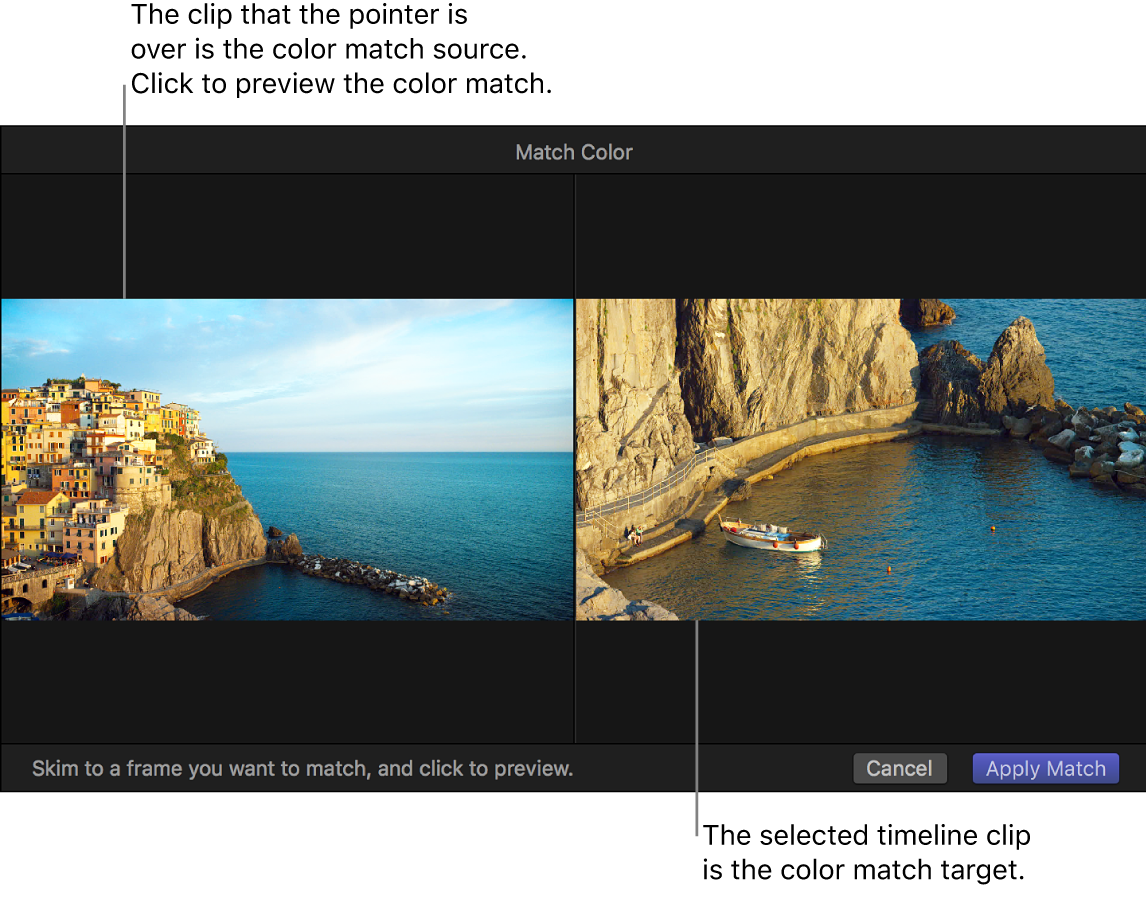
This one has a genuinely interesting backstory. Just weeks before this release, Apple acquired Color.io, and the fingerprints of that team are already all over the new Match Color tool. Rather than the old, fairly blunt automatic match, the rebuilt version lets you choose a reference frame and intelligently adjusts your colour sliders to blend footage across different cameras, lighting conditions, and cinematic looks.
If you've ever tried to cut together footage from an A-cam and a B-cam that were shot under slightly different lighting, you know how much of a headache colour continuity can be. Match Color now does a large chunk of that heavy lifting for you, giving you a unified timeline as a starting point that you can then refine by hand.
It's worth saying: this is early days for the Color.io integration. What's here already is useful, and it's reasonable to expect this corner of Final Cut to keep improving in future releases.
Generate Captions: subtitles the easy way
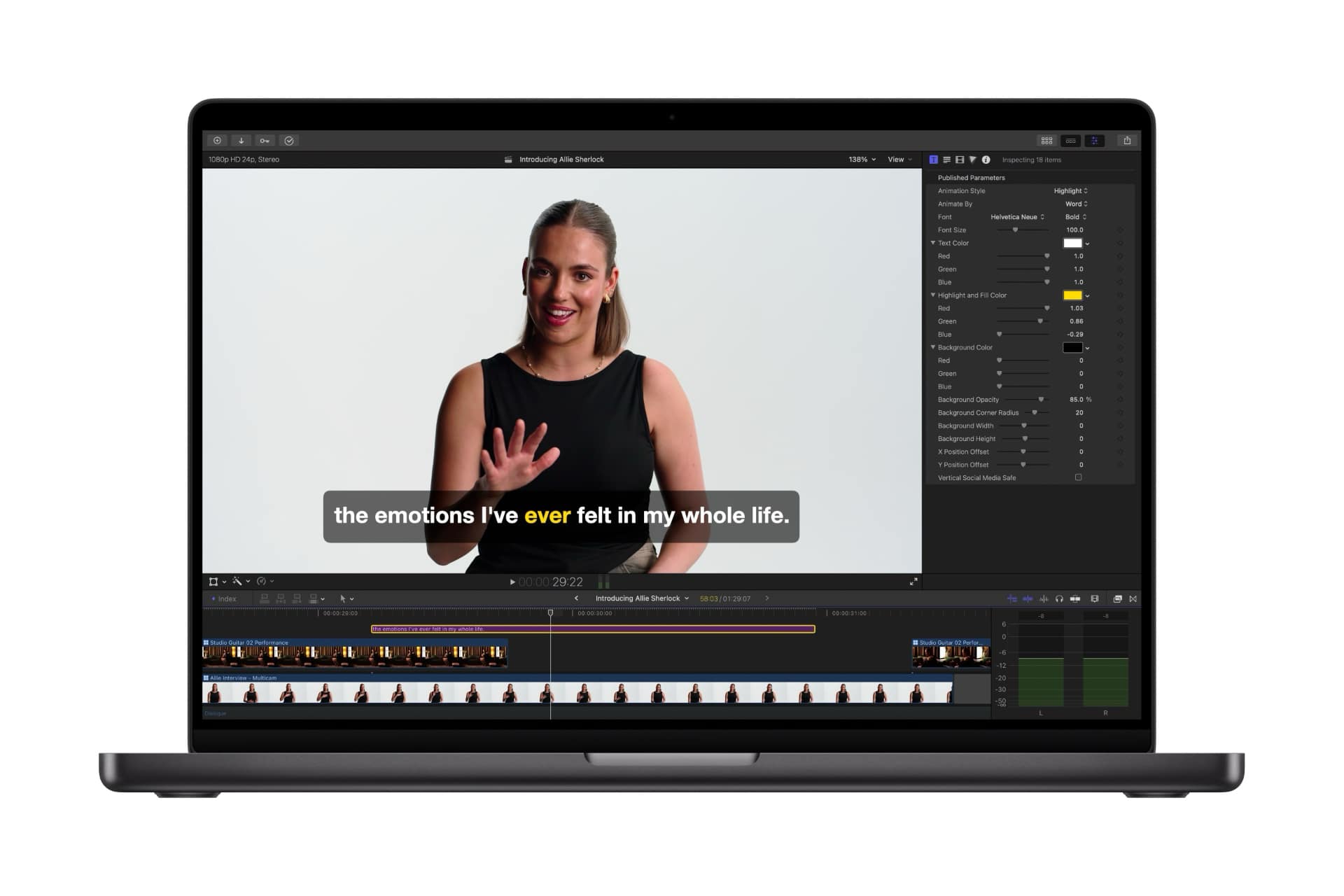
Social-first editors, this one's for you. Generate Captions uses on-device AI to transcribe your audio and drop subtitles straight onto the timeline, with full control over font, colour, position, and animated styling. Burned-in captions have quietly become non-negotiable for anything destined for Instagram, TikTok, or YouTube, and doing them by hand is soul-crushing.
The one catch worth flagging: at launch it's US English only, and it requires a Mac with Apple silicon. If that fits your setup, it's a serious time-saver for churning out accessible, ready-to-share content.
Edit Detection: reverse-engineer any cut
This is the sleeper hit of the release. Edit Detection analyses any rendered, flattened video - a finished export, a file someone sent you, an old project you've lost the timeline for - and automatically splits it back into its original clips on the timeline, complete with detected shot changes.
Think about how often that's useful. You want to re-cut an old highlight reel but only have the final file. A client hands you a rough assembly with no project. You want to jump back into an edit without manually hunting for every cut point. Edit Detection handles all of it with a single click.
The workflow improvements that quietly matter
The AI features get the headlines, but some of the smaller changes in 12.3 are the ones you'll feel every single day:
- Persistent two-up display. When you're trimming, you now get a two-up viewer that stays locked in view while you adjust edit points with keyboard shortcuts or the Precision Editor. Fine-tuning cuts just got a lot more accurate.
- Send to Pixelmator Pro. Push any frame straight to Pixelmator Pro with one click - ideal for custom thumbnails and social graphics without breaking your flow.
- Smarter clip handling. A new shortcut swaps clip positions in the primary storyline instantly, and you can now select a storyline clip along with all its connected media at once to copy complex edits between timelines.
- HEVC proxies. Proxy media is now generated using HEVC instead of H.264, for better compression efficiency and HDR support.
- Background rendering off by default. A small but telling change that hands performance control back to the editor.
- Better subtitle controls. Convert closed captions to subtitles, select all subtitles with one command, and adjust position, scale, rotation, and alignment for multiple subtitles at once from the inspector.
Do you need to update?
If your Mac is running macOS 15.6 or later, there's very little reason not to. The update is free for existing Final Cut Pro owners - the one-time purchase you already made still stands, exactly as it always has - and it's included for Apple Creator Studio subscribers too. As always with a point release, if you're mid-project on a tight deadline, it's sensible to finish your current job before updating and to back up your libraries first. But there's nothing here that should give you pause.
A quick heads-up worth knowing: several of the marquee features (Generate Captions especially) require Apple silicon. If you're still on an Intel Mac, you'll get the workflow improvements but not the full AI toolkit.
Where FCPX Full Access fits in
Here's the thing about every Final Cut update: Apple gives you better tools, but tools aren't a look. Auto Mask makes it faster to isolate a subject, and Match Color gives you a cleaner starting point across your footage - but the creative finish, the polish, the signature style that makes your edit feel like yours, still comes down to what you bring to the timeline.
That's exactly where we come in. At FCPX Full Access, our transitions, effects, titles, templates, and LUTs are built to slot straight into a modern Final Cut workflow and give you the finished, professional look without the manual grind. Pair 12.3's rebuilt Match Color with a well-designed LUT and you've got a genuinely powerful, fast grading pipeline. Use Edit Detection to rebuild an old reel, then drop in a fresh set of transitions to modernise it.
If you want the whole toolkit in one go, The Ultimate Bundle gives you every one of our transitions, effects, titles, templates, and LUTs in a single package - designed to feel native, work fast, and keep up with wherever Final Cut goes next.
The bottom line
Final Cut Pro 12.3 is one of those updates that looks quiet on paper and turns out to be a real step forward in practice. The AI features remove genuine friction rather than adding gimmicks, the workflow tweaks reward the people who live in the app, and it's all free. Apple didn't need to ship this now - and the fact that they did suggests they're pushing harder on Final Cut than they have in a while.
Update it, explore the new tools, and then make them yours. We'll be here with the finishing touches when you're ready.
Leave a comment